Make it yours.
Arrange your dashboard tiles, choose a theme, and save your preferred views.
Get RiTrade (Alpha) free for Windows and start making sense of your trading history.
Arrange your dashboard tiles, choose a theme, and save your preferred views.
Import supported broker reports and explore your trading history.
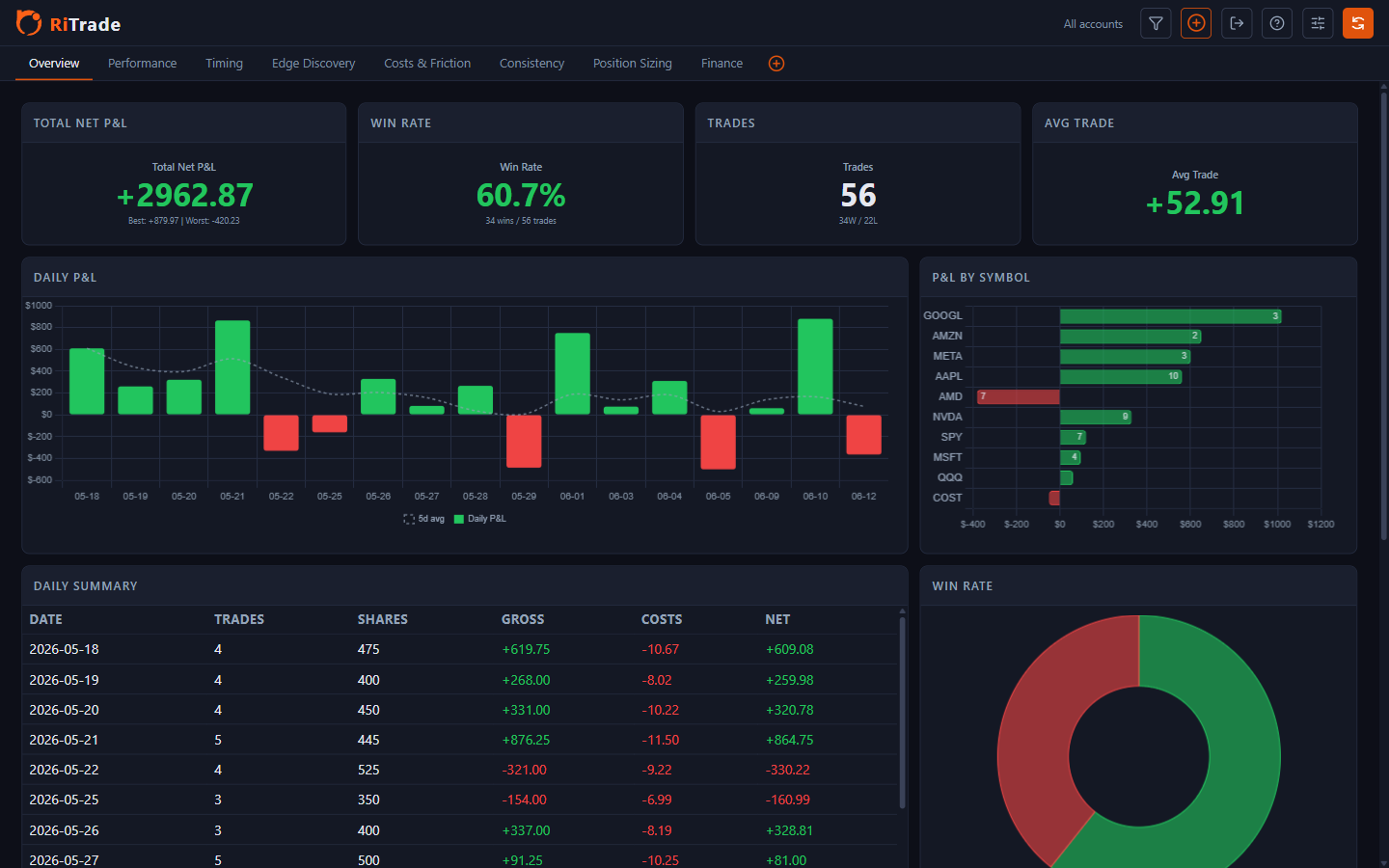
Review your performance, timing, and trading costs.
Review imported trades on your computer, without an online account.
 RiTrade Trading journal for Windows
Share a little about yourself before you download. This step is optional.
Skip registration and continueNext: review and agree to the disclaimer
before opening the GitHub releases.
You can explore the dashboards with demo data first, if you prefer.
Choose a supported broker export. Check the preview, then confirm the import.
Choose an account and date range. Adjust the layout and theme to suit your screen.
Look through your trades, timing, and costs to decide what to work on.
The packaged app handles its runtime setup, including WebView2. You don’t need to install Python. An internet connection may be needed to download components during setup.
Use the release notes for the requirements of the version you download. Mac and Linux installers are not currently supported.
RiTrade checks for releases and can show an update banner. Downloads are checked for file integrity, and the app makes a local data backup before installing an update.
Automatic update checks can be turned off in Settings.
Windows SmartScreen may warn about an unsigned or unfamiliar installer. Check the file’s source and publisher before proceeding. An update integrity check is useful, but it is not a substitute for code signing.